Ergonomic Desk Setup for Spinal Health: A Chiropractor's Step-by-Step Guide
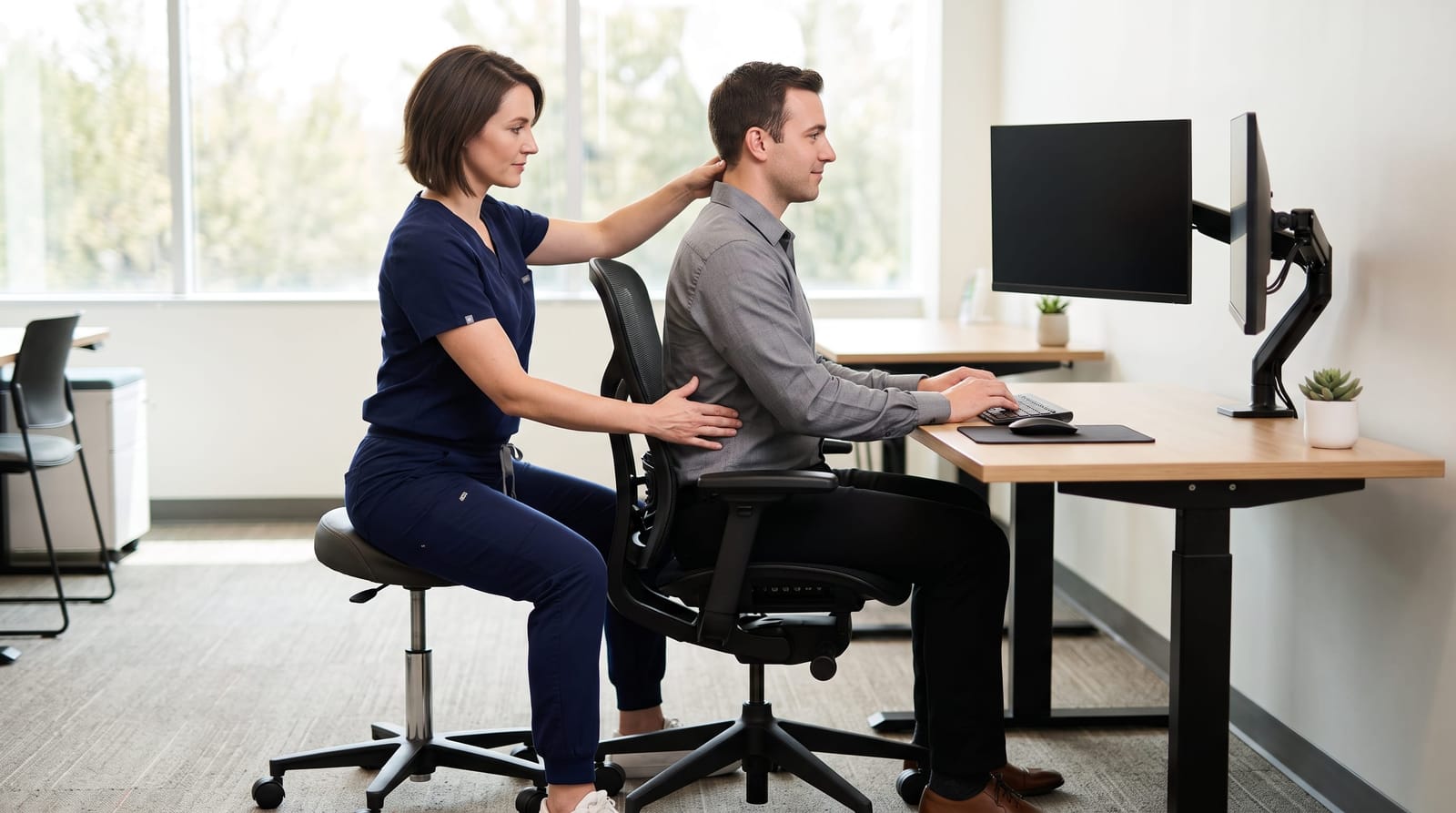
If you spend eight or more hours a day at a desk, your workstation is shaping your spine, whether you realize it or not. Across West Los Angeles, professionals in tech, entertainment, law, and finance are experiencing the cumulative effects of workspaces that were never properly configured for their bodies. This guide is part of our broader resource on posture correction and spinal health for professionals, and it zooms in on one of the most practical, high-impact things you can do today: set up your desk ergonomically.
A proper ergonomic desk setup isn't just about comfort. Research suggests that poor workstation design contributes to musculoskeletal discomfort in a significant portion of desk workers, with some studies estimating that up to 80% of office workers experience neck or back discomfort at some point in their careers. Below, we'll walk through each component of your workspace, one step at a time, from the chiropractor's perspective.
Why Your Desk Setup Directly Affects Your Spine
Your spine has natural curves: a gentle inward curve at the neck, an outward curve at the mid-back, and another inward curve at the lower back. These curves are designed to distribute load, absorb movement, and keep you upright with minimal muscular effort. When your workstation forces your body out of that neutral alignment, your muscles, joints, and soft tissues compensate by working harder than they should, often for hours on end.
Consider what happens when your monitor is just two inches too low. To read the screen, you tilt your chin downward slightly. That subtle forward tilt places dramatically increased stress on the cervical spine. Biomechanical research has shown that for every inch the head moves forward from its neutral position, the effective load on the neck can increase by roughly 10 pounds. At 60 degrees of forward tilt, which is common when looking down at a laptop, the load on the cervical spine can reach approximately 60 pounds. That's the weight your neck muscles are working against, hour after hour.
The cumulative effect of that daily strain is often what brings professionals into a chiropractic office. Understanding the relationship between ergonomic desk setup and conditions like lower back pain and disc stress is an important first step. The good news is that most of these issues are preventable with the right adjustments.
Chair Setup: Building the Foundation
Your chair is the foundation of your entire ergonomic setup. Before you adjust anything else, get this right.
Seat Height
Adjust your seat height so your feet rest flat on the floor and your knees form approximately a 90-degree angle, or a very slight downward slope (thighs angled slightly downward). If your feet don't reach the floor, use a footrest rather than lowering the chair, which may compromise your arm position at the desk.
Lumbar Support
The lumbar support on your chair should sit in the curve of your lower back: typically between the top of your pelvis and the bottom of your ribcage. This support gently encourages the natural inward curve of the lumbar spine rather than letting it collapse outward into a slouch. If your chair lacks adequate lumbar support, a small rolled towel or a lumbar cushion placed at the small of the back can make a meaningful difference.
Seat Depth and Armrests
There should be approximately 2 to 3 finger-widths of space between the back of your knee and the edge of the seat cushion. This prevents pressure on the backs of the thighs, which can affect circulation and encourage slouching. Set armrests so your shoulders stay relaxed and your elbows form roughly a 90-degree angle: they should support your arms without lifting or dropping your shoulders.
Monitor Height and Distance: Protecting Your Neck
Monitor positioning is one of the most common ergonomic mistakes in modern offices, and it's closely tied to the epidemic of chiropractic manipulation neck pain that chiropractors see in professional patients.
Optimal Monitor Height
The top of your monitor should be at or just slightly below eye level. When you look straight ahead at your screen, your gaze should naturally fall on the upper third of the display. This keeps your neck in a neutral, upright position rather than angled downward. If you primarily use a laptop without an external monitor, this is worth paying particular attention to: laptop screens are almost always too low for extended work sessions. Raising the laptop on a stand and pairing it with an external keyboard is one of the most effective single upgrades you can make.
Monitor Distance
Position your monitor approximately 20 to 26 inches from your eyes: roughly at arm's length. Too close, and you may unconsciously lean forward to read; too far, and you may strain your eyes and tilt your head forward to compensate. If you find yourself squinting or leaning in, check your text size before adjusting your chair position.
Multiple Monitors
If you use dual monitors, position your primary screen directly in front of you and the secondary screen at a slight angle to one side. Spending hours with your head turned consistently to one side creates asymmetrical strain on the cervical spine and shoulder muscles that chiropractors frequently see in professionals who work with side-by-side monitor arrangements.
Keyboard and Mouse Positioning: Keeping Wrists and Shoulders Neutral
The position of your keyboard and mouse affects not just your wrists, but your shoulders, upper back, and, indirectly, your neck and lower back. When these tools are placed incorrectly, the ripple effect travels up and down the kinetic chain.
Keyboard Height and Angle
Your keyboard should sit at a height that allows your elbows to remain at roughly 90 degrees with your shoulders relaxed. Your wrists should be straight, not bent upward or downward, while typing. A slightly negative tilt (front of the keyboard slightly higher than the back) is often recommended to keep the wrists in a more neutral extended position, though this varies by individual. Avoid resting your wrists on a wrist pad while actively typing; these pads are best used during pauses, not while fingers are moving.
Mouse Placement
Keep your mouse close to your keyboard so reaching for it doesn't require you to extend or rotate your shoulder. Reaching repeatedly for a mouse placed too far to the side is a surprisingly common source of upper trapezius and shoulder tension. Consider a compact keyboard without a number pad if you primarily use your mouse on the right side: this keeps the mouse closer to your body's center.
Standing Desk Use: How to Do It Right
Standing desks have become increasingly popular among professionals in West Los Angeles, and they can be a valuable part of a spinal health strategy, but only when used correctly. The question of ergonomic desk setup for standing versus sitting is one chiropractors get asked frequently, and the honest answer is that alternating between both positions is typically more beneficial than committing exclusively to either.
Correct Standing Desk Height
When standing at your desk, your elbows should still be at roughly 90 degrees, and your monitor height should be adjusted to match your new standing eye level. Many people raise their desk appropriately but forget to raise their monitor, which reintroduces the downward head tilt they were trying to avoid.
The 30/30 Rule as a Starting Point
A commonly referenced guideline suggests alternating between sitting and standing approximately every 30 minutes, though individual comfort and workflow will vary. The goal is movement and position variety, not simply swapping one static posture for another. Anti-fatigue mats can reduce the strain of prolonged standing on the feet, knees, and lower back.
What Not to Do
Avoid standing with your weight shifted entirely onto one hip, or crossing your arms and leaning on the desk: both positions create lateral imbalances in the pelvis and lumbar spine over time. Standing tall with a slight soft bend in the knees and weight distributed evenly through both feet is the target posture.
Small Habits That Make a Big Difference
Even the best ergonomic desk setup can't fully compensate for hours of completely static posture. Movement is built into how the spine stays healthy, spinal discs receive much of their nutrition through the compression and decompression that comes with movement. Building small habits into your workday supports what your ergonomic setup is doing structurally.
- Set a movement reminder every 45 to 60 minutes to stand, stretch your neck gently, roll your shoulders, and walk briefly.
- Check your posture anchor points periodically throughout the day: feet flat, lumbar supported, shoulders relaxed, screen at eye level.
- Position frequently used items within easy reach to avoid repetitive reaching and twisting.
- Keep your phone at eye level when reading or texting: looking down at a phone for even 20 minutes adds significant load to the cervical spine.
- Consider a headset if you spend significant time on calls: cradling a phone between your ear and shoulder creates some of the most asymmetrical neck strain patterns chiropractors encounter.
For professionals dealing with discomfort that may relate to posture patterns established over time, understanding custom orthotics fix posture and postural re-education can be a meaningful complement to the workspace changes you make. These aren't isolated issues: how your body is positioned at your desk is connected to how it functions everywhere else.
Related Topics Worth Exploring
If you found this guide useful, the following topics go deeper into specific concerns that often connect to desk-related posture patterns:
- How poor posture contributes to lower back pain and disc stress: a detailed look at the mechanics involved when sitting habits affect the lumbar spine over time.
- The standing desk vs. sitting desk debate: what chiropractors actually observe in patients who use each setup, and what the research suggests about hybrid approaches.
- For those experiencing sciatic-type discomfort, understanding the relationship between sitting with sciatica and posture can offer helpful context for why certain seated positions feel worse than others.
Putting It All Together
An ergonomic desk setup isn't a one-time project: it's an ongoing practice of paying attention to how your body interacts with your workspace. The five key areas covered here, chair setup, monitor height and distance, keyboard and mouse positioning, standing desk use, and daily movement habits, each contribute to a cumulative effect on your spinal health over time. Small misalignments, repeated for years, can gradually affect how you feel. Small corrections, consistently maintained, can work in the other direction.
If you've made ergonomic adjustments but are still experiencing neck tension, upper back discomfort, or stiffness, it may be worth having a chiropractic evaluation to get a clearer picture of what's happening. At Prodigy Chiro Care in West Los Angeles, we work with professionals to assess posture, spinal alignment, and movement patterns as part of a personalized wellness approach. Reach out to schedule a consultation: we're here to help you understand what your body is telling you and support your long-term spinal health.